Kuula and Klapty alternatives: when to switch platforms
Three things usually lead people to look for a Kuula or Klapty alternative: the price of the plan, the limits of the free plan, and how branding appears in the tour. Whether switching is worth it often comes down to a single question: do you have the original 2:1 file of every scene? If you do, moving is a matter of uploading the images to the new platform and setting up the hotspots and links again; if you don’t, you first need to gather those files.
The Prewalk team wrote this guide, and Prewalk is one of the options. Prewalk is a browser-based platform that links 360° images room by room and turns them into a tour that opens on phones, computers, and Meta Quest with no app to install. We took every fact about Kuula, Klapty, and the other products from each company’s own pricing or help page and checked it in November 2026. Plans change often; before you decide, check the current details through the sources at the end.
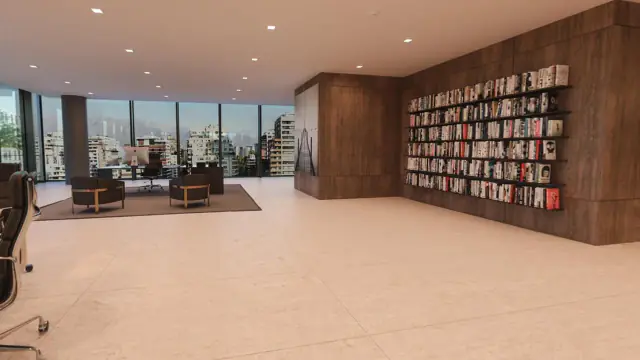
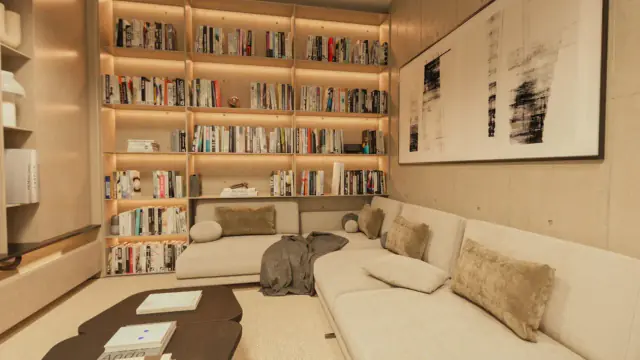
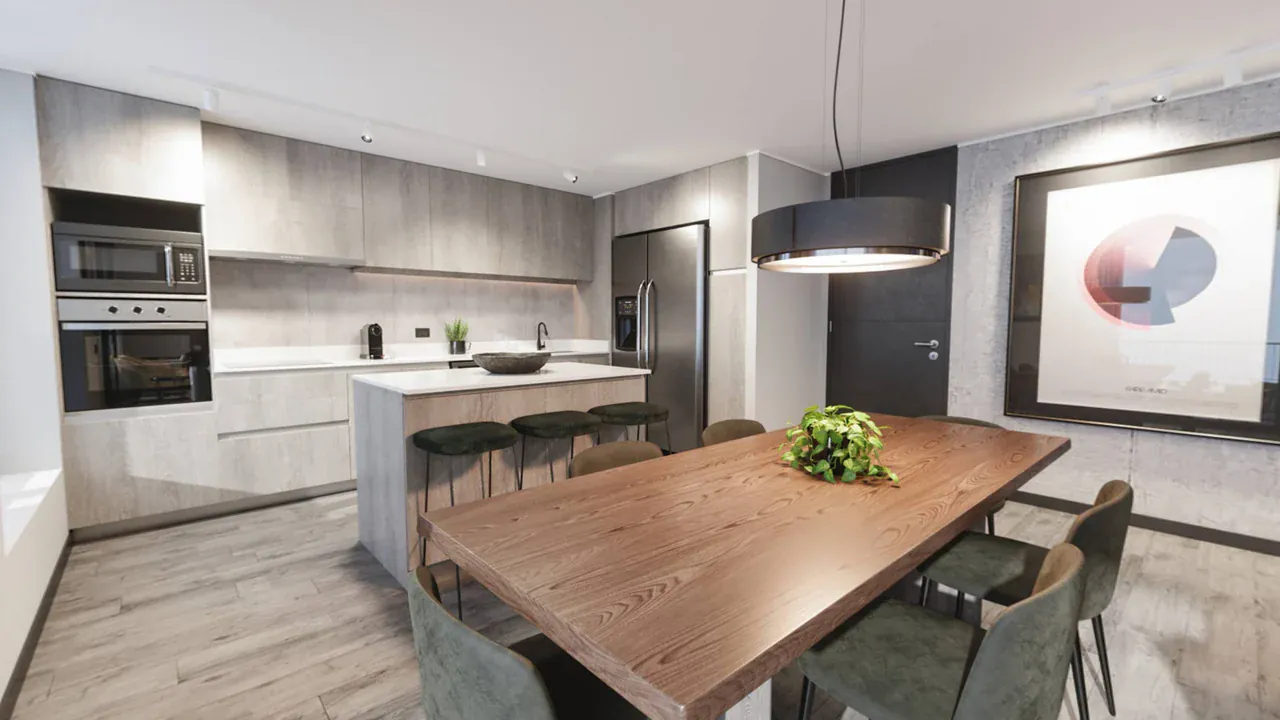
Tour note: Each scene in this tour is a single 2:1 render file. These files are also what you move when you switch platforms; you set up the hotspots and opening views again on the new platform. Drag to look around, and click the rings on the floor to move between rooms.
What do Kuula and Klapty do well?
Before you think about leaving, you need to know what you’d be giving up. According to their official pages, these are the two platforms’ strengths:
- Kuula’s free plan is suited to sharing many single 360° photos. The Basic plan includes hosting for up to 300 posts, 100 uploads a month, embedding, and VR.
- Kuula accepts large files. According to its image specifications page, on Pro you can upload panoramas up to 32768 × 16384 px. It also recognizes square (1:1) stereo images in a top-bottom layout and shows them with depth in VR.
- Kuula doesn’t delete content when you cancel. Its downgrade page says that even if you go back to the free plan, your tours and photos aren’t permanently deleted, and that everything comes back when you renew your subscription.
- Klapty is a community and a business directory. Tours appear on a community page; photographers can get listed in the “Hire a Pro” directory and find clients.
- Klapty doesn’t delete on cancellation either. According to its help page, when you go back to the free plan, 1 active tour stays live and the others aren’t deleted but archived; when you renew your subscription, they can be published again.
If one of these features is at the center of your work, the decision table below will probably say “stay.”
Why would you want to leave Kuula or Klapty?
The reasons for leaving usually fall under seven headings: price, plan limits, branding, stereo VR, render files, embedding, and data ownership. We put the three platforms side by side under these headings (November 2026, according to the official pages):
| Topic | Kuula | Klapty | Prewalk |
|---|---|---|---|
| Free plan | 300 posts, 100 uploads a month; hotspots are visible only to you | 1 active tour, 100 views a month; no embedding | 30 scenes, 8K; embedding and hotspots included; with a Prewalk badge |
| Lowest paid plan | Pro: $20 a month billed yearly, $24 billed monthly | Basic: €14.90 a month or €149 a year | Pro: $15 a month billed yearly, $19 billed monthly |
| What do the plans scale by? | Features and upload allowance | Number of active tours and monthly views | Number of scenes |
| Your own logo | Pro | Klapty branding is removed on Advanced and above | Pro and above |
| Your own domain | Business ($36 a month billed yearly, $48 billed monthly) | White-label options on Platinum and above | Office ($39 a month billed yearly, $49 billed monthly) |
| Top-bottom stereo | Yes: square image, up to 16384 × 16384 px | We found no information in the help center | Pro and above: square image, up to 16384 × 16384 px |
| File type and size | JPG, PNG, WebP; up to 32768 × 16384 px on Pro | JPG, up to 95 MB per image; PNG and TIFF on Platinum and above | JPG, PNG, TIFF, WebP; up to 16K, at most 1 GB per file |
| When the subscription ends | Content isn’t deleted; hotspots become visible only to you, and branded embeds revert to the Kuula look | 1 tour stays live, the others are archived | Content isn’t deleted; scenes over the limit stay live, new uploads stop |
A few takeaways from the table:
- Compare each price along with the unit it’s based on. Klapty Basic includes 20 active tours and 1,000 views a month. According to Klapty’s help page, once the quota runs out, extra views are added automatically by default and charged for; if you turn this option off, your tours become invisible until the end of the month. If you have a few tours that get a lot of views, a model that charges by the number of scenes or posts may be more predictable. We work out the total cost of a single tour in our guide to virtual tour pricing.
- Stereo VR and resolution alone aren’t a reason to leave Kuula. Kuula also accepts top-bottom, square stereo images, and on Pro it takes larger panoramas than Prewalk.
- All three have embedding, but on different plans. On Kuula’s free plan, hotspots don’t show in an embedded tour; on Klapty, embedding comes with the Basic plan; on Prewalk, it’s on the Free plan too.
Should you stay or leave?
If most of the questions below point you to “stay,” switching platforms will waste your time.
| Question | If yes | If no |
|---|---|---|
| Do your visitors need to move between rooms with hotspots? | Kuula requires Pro and Klapty a paid plan; you can look for a platform that does this on its free plan | If you share single 360° photos, Kuula’s free plan may do the job: stay |
| Does Klapty’s community page or its “Hire a Pro” directory bring you clients? | Stay, or keep your profile on Klapty while you publish new tours elsewhere | This is no obstacle to leaving |
| Do your tours often go over the monthly view quota? | Work out the cost of models that don’t charge by views | This criterion doesn’t change your choice |
| Do you upload panoramas larger than 16K, up to 32K? | Kuula Pro accepts them, Prewalk stops at 16K: stay on Kuula | This criterion doesn’t change your choice |
| Do you export your renders as TIFF or PNG? | Choose a plan you can upload them to without converting | If you work with JPG, it makes no difference |
| Do you want to keep the tour files on your own server? | Look at a desktop program or a platform that offers export (3DVista, Panoee) | A cloud platform is enough |
| Do you have the original 2:1 file of every scene? | You’re ready to move | Gather the files first; any scenes you can’t find will need to be shot or rendered again |
Which platforms can you use instead of Kuula and Klapty?
The list is kept short; a detailed comparison of nine programs is in our guide Best virtual tour software. Prices are as of November 2026, according to each vendor’s official page.
| Platform | Type | Free option | Entry price | What does it offer someone coming from Kuula or Klapty? |
|---|---|---|---|---|
| Prewalk | Cloud | 30 scenes, 8K, embedding and hotspots; with a Prewalk badge | Pro: $15 a month billed yearly, $19 billed monthly | Plans based on the number of scenes; four file types, TIFF included; your own logo, stereo, and password-protected tours on Pro; your own domain on Office |
| Panoee | Cloud | No limit on the number of projects and tours, 3 GB of storage | Pay as You Go: $7–12 a month; PRO: $22 a month | According to its FAQ, you can export a tour and host it on your own server |
| 3DVista Virtual Tour Pro | Desktop | 30-day trial, watermarked | One-time $499 or €499 | The tour files are on your computer; you publish on your own server or on 3DVista Hosting, from €99 a year |
| CloudPano | Cloud | 3 tours, which expire after 120 days | Pro: $27 a month; Pro Plus: $33 a month billed yearly, $49 billed monthly | On Pro Plus, a white-label address, live 360° video calls, and a lead capture form |
If you’re coming from Matterport, it’s a different matter: there you first need to answer whether you need a 3D scan or a 360° tour. We cover that in Matterport alternatives.
What should you check before you switch platforms?
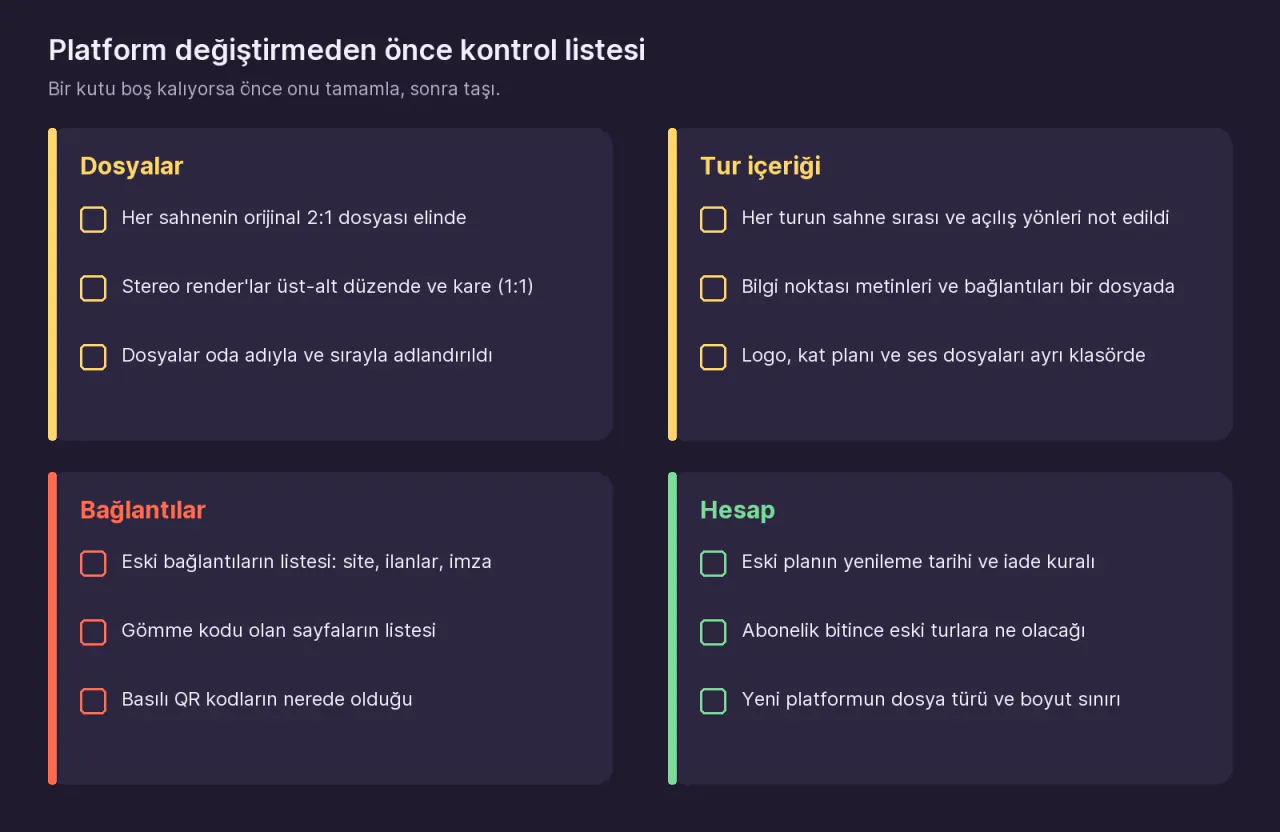
Do you have the original 2:1 files?
This is the one part of the move you can’t do without. For each scene you need a file that is twice as wide as it is tall and covers the full sphere. Look in these places:
- The camera’s memory card or the phone app’s export folder. You need the 2:1 JPG that the app stitched and exported, not the raw dual-fisheye files.
- The render folder. The JPG, PNG, or TIFF your 3D software saved. If you saved the render in another format, convert it to one of these three first.
- Stereo renders. Both Kuula and Prewalk expect the left eye on top in a top-bottom, square file; you can upload the stereo files you prepared for Kuula to Prewalk Pro as they are.
Don’t count on getting files back from the platform itself. Kuula’s image specifications page says every uploaded image is re-encoded as JPG; in other words, your real source is the file you uploaded. We found no page in Kuula’s help center that explains how to download the original panorama again. The Save Image feature described there saves a 3200 × 3200 px square image of the direction you’re looking in at that moment; it isn’t a 2:1 panorama. We found no article in Klapty’s help center on downloading panoramas again either. If you don’t have your originals, ask the platform’s support team; if that doesn’t work, those scenes will need to be shot or rendered again.
Have you noted down the tour’s content?
Hotspots, info points, and opening views don’t come with the files. Before you move, go through each tour once and write down the scene order, which scene leads to which, and the text of the info points. Put the logo, floor plan, and audio files in a separate folder. A screenshot of each scene is the quickest way to remember its opening view.
Is your list of old links ready?
A tour’s link usually sits in more than one place: the embed code on your website, listing portals, your email signature, social media posts, QR codes on printed brochures. Write them all in a table: old link, where it is, new link. In step 6, this table becomes your to-do list.
Do you know what happens when your old plan ends?
- Kuula: According to its downgrade page, when you go back to the free plan, tours aren’t deleted, but hotspots become visible only to you and branded embeds revert to the Kuula look. If you move down from Business, your own domain is disabled and the links on that address stop working. Kuula states that canceling doesn’t trigger an automatic refund, and that to get a refund you need to write to them within 7 days of the payment.
- Klapty: According to its cancellation page, the subscription reverts to the free plan at the end of the billing period. Customizations such as the logo, the address, and white labeling are removed, and private tours are archived. On the free plan, 1 active tour remains and the others are archived.
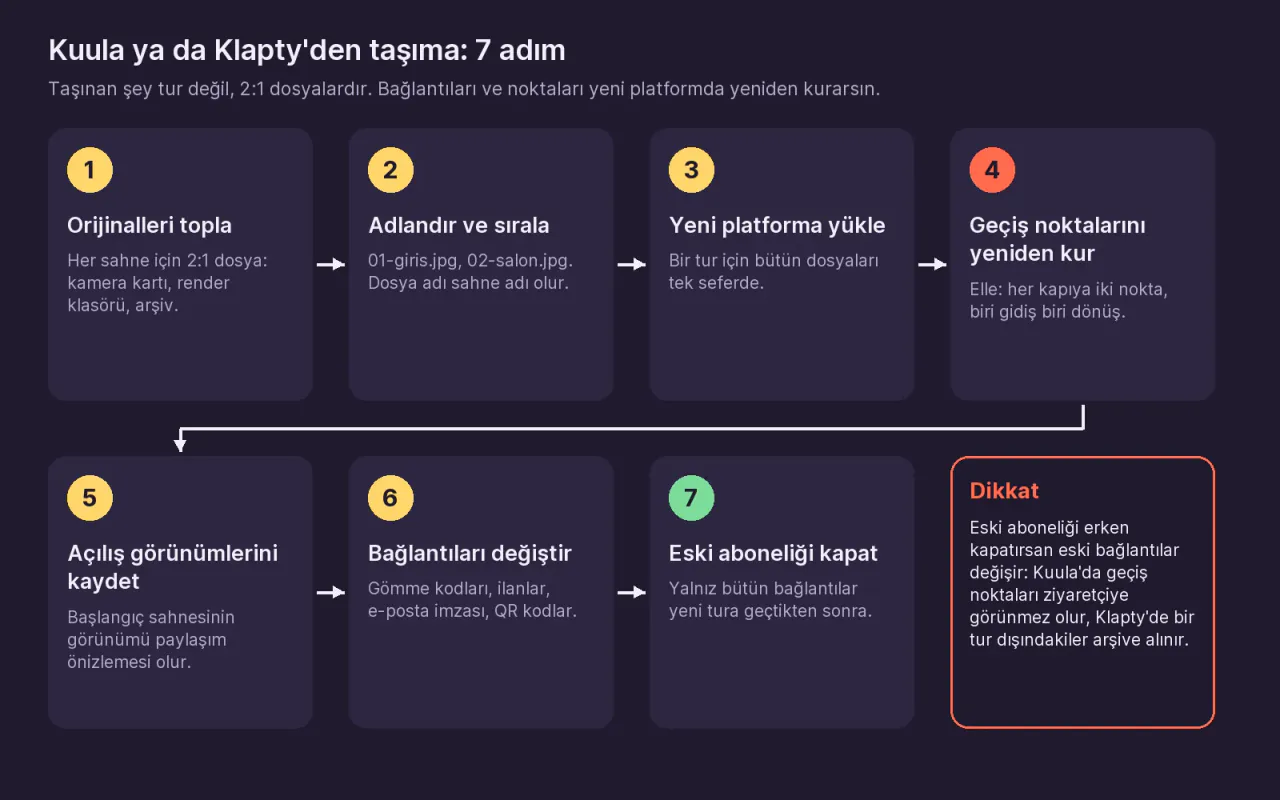
Either way, the takeaway is the same: don’t cancel the subscription before the old links have been switched to the new tours.
How do you move from Kuula or Klapty to Prewalk?
Prewalk has no tool that imports a tour from another platform. Moving means uploading the images and rebuilding the tour in Studio. The steps are below; if you’re moving to a different platform, the menu names will differ, but the order is the same.
1. Gather the original files, tour by tour
Create a separate folder for each tour and put all of that tour’s 2:1 files in it. Check it against the notes from your checklist to make sure no scene is missing.
2. Name the files by room, in order
In Prewalk, the file name becomes the scene name: 01-entrance.jpg, 02-living-room.jpg. The number at the start keeps the order. If you miss a name, you can change it later by double-clicking the scene in the strip.
3. Create the tour and upload the files
In Prewalk Studio, create a project with + New project, create the tour inside it with + New tour, and drag all the files onto the editor at once. If you’re moving a single tour, Quick tour works too. If you’ll publish on behalf of a company or a team, set up the tour in the right account from the start: in Prewalk, content doesn’t move between accounts. The details are in the guide Team and company accounts.
4. Set up the hotspots again
Open the scene where the transition starts, drag the destination scene from the strip at the bottom onto the 360° view, and drop it on the floor in the doorway. Hotspots are one-way: each doorway needs two, one going and one coming back. Place info points, labels, and links from the palette the same way, and copy the text from your notes into them. The guide Linking rooms explains the whole logic.
With the API on the Enterprise plan, you can script creating tours, uploading scenes, and naming scenes; adding hotspots isn’t in the API, so you still set those up in Studio.
5. Save the opening views and the start scene
In each scene, turn the view to its best angle and click Save current view. The first scene in the strip is the start scene; its opening view becomes the preview that appears when the link is shared on WhatsApp or LinkedIn. Then walk through the tour with Preview and check that you can get back from every room.
6. Replace the links and embed codes
Click Publish to publish the tour; by default, new tours are shared by link only. On the Share tab, get the tour link, the QR code, and the embed code. Then work through the link table you made during the checks, row by row: replace the old embed code on your site with the new one, update the link on the portals, and reprint the QR code. The guide Embed a tour on your website covers the two versions of the embed code and where to paste it in each site builder.
7. Cancel the old subscription last
Once every row in the table points to the new link, cancel the subscription on the old platform. So you don’t miss the refund window, put the renewal date in your calendar ahead of time.
What happens to your old links and embedded tours?
You can’t redirect kuula.co or klapty.com addresses, because those domains aren’t yours. So instead of redirecting the old links, you replace them where they are:
- Your own website: Replacing the embed code is enough. The page’s address stays the same, and visitors won’t notice any difference.
- Listing portals and email signatures: Update the link by hand.
- Printed QR codes: You need to reprint them. In Prewalk, the QR code carries the tour’s permanent address (prewalk.co/t/…); even if you later change the tour’s readable address, the printed code keeps working. You’ll find print sizes in the guide Share a tour.
- If you used your own domain on Kuula Business: The domain is yours, but once you move down from the Business plan, the links on that address stop working. Prewalk has no feature that maps old paths to new tours; you need to redirect those addresses to the new tour links on your own server.
So you don’t have to repeat this work at the next switch, embed your tours on a page of your own site and give out that page’s address (for example, company.com/virtual-tour/flat-12). Even if the platform changes, the only thing you’ll need to change is the embed code on that page. In Prewalk, the Office plan adds your own domain (for example, tour.company.com) for tour links and embedded content. If you move from Office down to a lower plan, tour links on your own domain are redirected to the prewalk.co address for 30 days; you update your embed codes during that time.
A note on your data: in Prewalk, downgrading your plan doesn’t delete content. The Download my data option gives you your account, profiles, tours, and scenes as a JSON file, with links to your original files included. Still, keeping a copy of your original 2:1 files on your own disk is the safest approach, whichever platform you use.
When is Prewalk not the right choice?
We make Prewalk, so let’s also say where it falls short:
- If you upload panoramas larger than 16K. Prewalk stops at 16384 × 8192 px. Kuula Pro, according to its own page, accepts up to 32768 × 16384 px.
- If it helps your work to have your tours appear in a community and a business directory. Prewalk has Explore and a portfolio profile, but no business directory like Klapty’s “Hire a Pro.”
- If you want the tour files on your own server or offline. Prewalk tours are hosted on Prewalk. 3DVista’s or Panoee’s export option is a better fit for this.
- If you want to move hundreds of tours in one go. Since there’s no import tool, you set up the hotspots by hand in every tour.
Frequently asked questions
Can I move my Kuula tour to Prewalk automatically? No. Prewalk has no tool that imports tours from another platform. You upload the original 2:1 files and set up the hotspots and opening views again in Studio.
If I end my Kuula or Klapty subscription, will my tours be deleted? Both say they don’t delete them. But on Kuula, hotspots become visible only to you, and on Klapty, every tour except 1 is archived and taken offline. So end the subscription after the new links are in place.
Will my stereo renders work on Prewalk too? Yes, as long as they’re in a top-bottom layout and square (1:1); on Pro and above, up to 16384 × 16384 px. Side-by-side stereo isn’t supported.
Next step
Before you decide to move, try it with a single tour: upload your original files to Prewalk Studio on the Free plan, set up the hotspots, and open the two links side by side. The plans are detailed on the Prewalk pricing page. For the whole process from shoot to publish, see How to make a 360° virtual tour.
Brand note: Kuula, Klapty, Panoee, 3DVista, CloudPano, Matterport, Meta Quest, WhatsApp, and LinkedIn are trademarks of their respective owners. This guide was written independently; Prewalk has no partnership with these companies, and they have not endorsed it.
Sources
- Kuula, pricing (Basic, Pro, Business) (November 2026)
- Kuula, features and limits of a free account
- Kuula, what changes when you downgrade
- Kuula, canceling a subscription and refunds
- Kuula, image specifications (file types, maximum sizes, re-encoding to JPG)
- Kuula, 3D (stereo) images
- Kuula, saving an image (Save Image)
- Kuula, custom domain (Business)
- Kuula, embed and link formats
- Klapty, pricing and plan features (November 2026)
- Klapty, what happens if you cancel your subscription
- Klapty, grace period for payment and archiving
- Klapty, when you reach the view limit
- Klapty, supported panorama formats
- Klapty, replacing the logo and branding
- Panoee, pricing
- Panoee, FAQ (export, embedding)
- 3DVista, Virtual Tour Pro
- 3DVista, store and hosting
- CloudPano, pricing
- CloudPano, Pro Plus checkout page
- Prewalk, pricing
- Prewalk, FAQ (file types, stereo, Download my data, moving between accounts)
Share: Share on X LinkedIn WhatsApp