Features
 Features
Tours that feel like a real walk-through.
Want buyers to understand the layout before they book a showing? Here’s everything a Prewalk tour does — in the viewer your buyers see, and in the studio where you build it.
Move room to room
Walk through, don’t click through
Every tour is a set of rooms joined the way the home is joined. Buyers move through doors and hallways instead of flipping through pictures.
Transition points
Six shapes — ring, arrow, chevron, thumbnail, label and dot — placed where one room leads into the next. On a computer, hover to preview the room it leads to.
Four transitions
Walk, zoom, crossfade or fade to black. With walk, the camera moves toward the transition point, so stepping into the next room feels like walking.
Opening view
Choose which way each room faces when it opens — the window, the kitchen island or the terrace. Walk in from another room and you arrive facing the way you walked.
Room names & scene strip
Each room is named, and a strip of thumbnails along the bottom lets buyers jump straight to it.


Built for detail
Still sharp when buyers zoom in
Prewalk handles images up to 16K — roughly 16,000 pixels wide; 8K on the Free plan — so buyers can zoom in on a countertop, the flooring or the view.
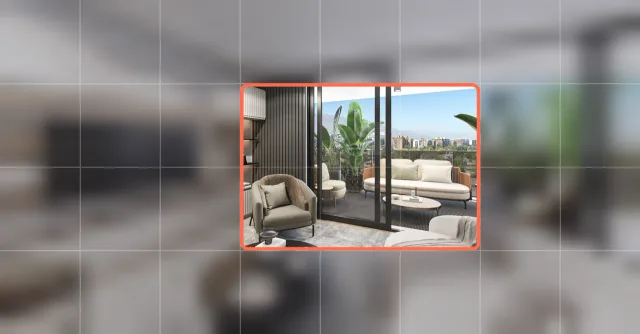 blurred previewonly these tiles load
Tiled loading
A blurred preview appears first, then the part of the room someone is looking at sharpens, tile by tile — so a 16K tour still opens quickly on a phone.
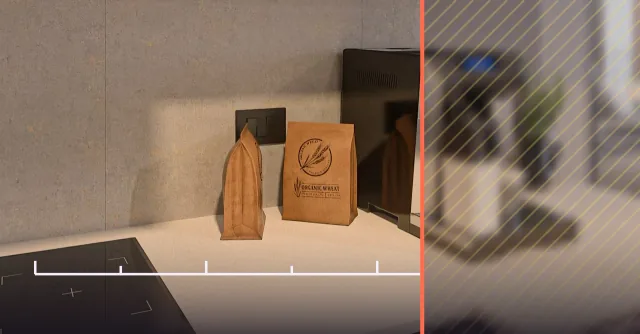 softzoom stops here →
Smart zoom limit
Zoom stops before the image turns soft, so buyers never see a blown-up blur.
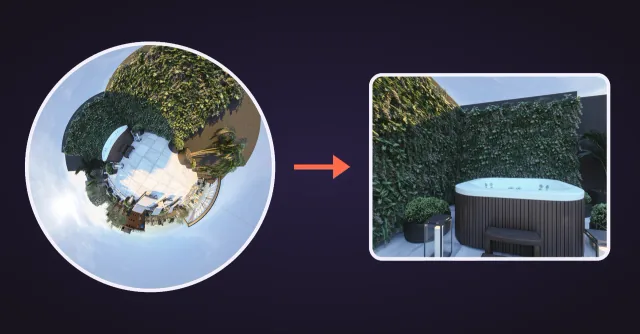 little planetinto the room
Cinematic opening
Open from a “little planet” view — the whole panorama curved into a small sphere — that glides into the room. Switch it off if you like; an idle tour turns gently on its own.
Inside the tour
Point out what matters
Buyers ask about the oven, the view and the heated floors. Answer before they ask.
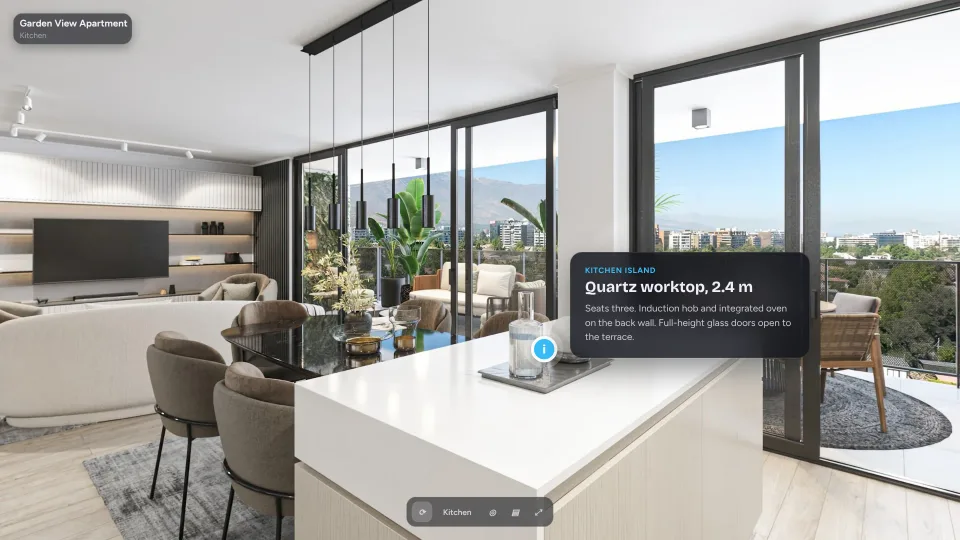
Info points
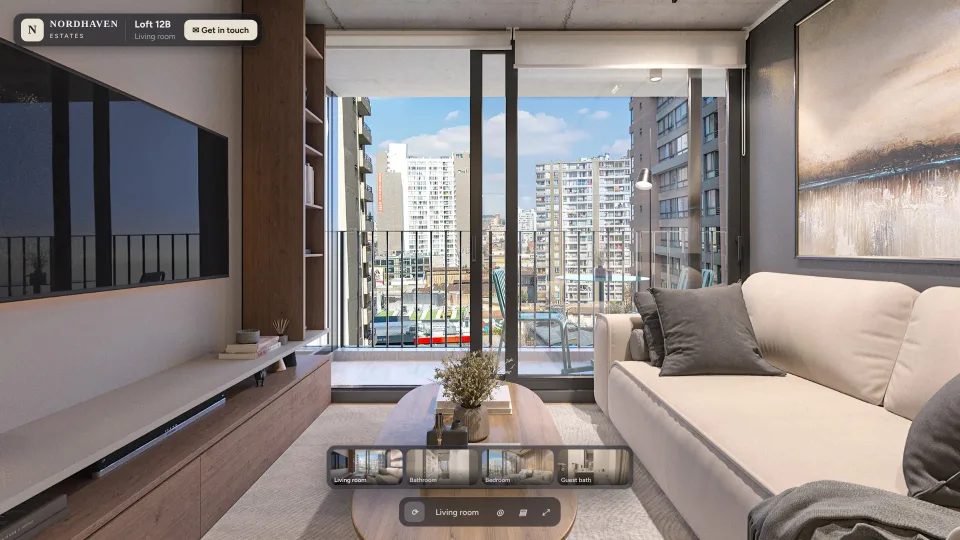
Pin a note or a link anywhere in a room. On Pro and above, image and video cards show in shared tours too.
Labels
Fixed labels for things like “South-facing terrace” or “Walk-in closet”.
Your own hotspot icons
From Pro, use your own icon for transition points.
Tour sound
From Pro, add your own background music and 3D sounds that come from a spot in the room, like a fireplace or a radio. Buyers can turn the volume up or down.


Phone & VR
Made for the phone in a buyer’s hand — and for VR
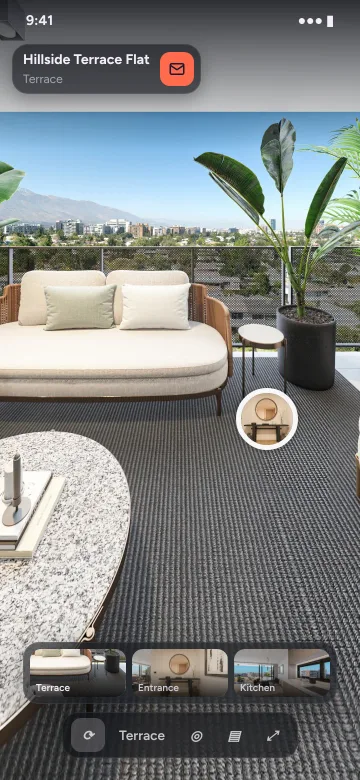
Most people open a tour from a message or a listing on their phone. Prewalk runs in the browser, so there’s nothing to install — and the same tour opens in VR.
Tilt to look
On a phone, turn the device to look around the room.
Compass
On Pro and above, it shows which way you’re facing. Set north once in the studio.
VR in the browser
Open the tour on a Meta Quest, on every plan. On Pro and above, upload top-bottom stereo renders for real 3D depth.


The studio
Build the tour yourself
No waiting on anyone. Upload, connect and publish from your browser. Changes save automatically; on Office, your team sees each other’s changes to the same tour right away.
Upload in one go
Drop in every photo or render at once. Scenes open as they’re ready and full resolution follows — you keep editing meanwhile.
Drag to connect
Drag a scene from the scene strip at the bottom onto the 360° view; the transition point lands exactly where you drop it.
Order and opening
Put the rooms in order and choose where the tour opens.
Per-tour settings
Pick the transition style, the opening, the interface and the hotspot shape for each tour.


Sharing & your brand
One link, your brand
Every tour has one link, with a preview image on WhatsApp and LinkedIn, and an embed code on every plan. From Pro your logo replaces the Prewalk badge; Office adds your own domain for tour links and embeds, and up to five brands. Enterprise adds a white-label viewer: tours and embeds on your own domains, with no Prewalk branding.
Files
What you can upload
- Panorama
- 2:1 equirectangular (a full 360° image, twice as wide as it is tall), or 1:1 top-bottom stereo (Pro and above)
- Formats
- JPG · PNG · TIFF · WebP, up to 16K (8K on the Free plan), up to 1 GB per file; not EXR/HDR
- From
- A 360° camera, or any render program that exports equirectangular
- Render settings
- Spherical (equirectangular) output, not a cube map; for stereo, top-bottom rather than side-by-side
- Stereo
- Real 3D depth in VR on a Meta Quest, right in the browser
Portfolio
Your public portfolio
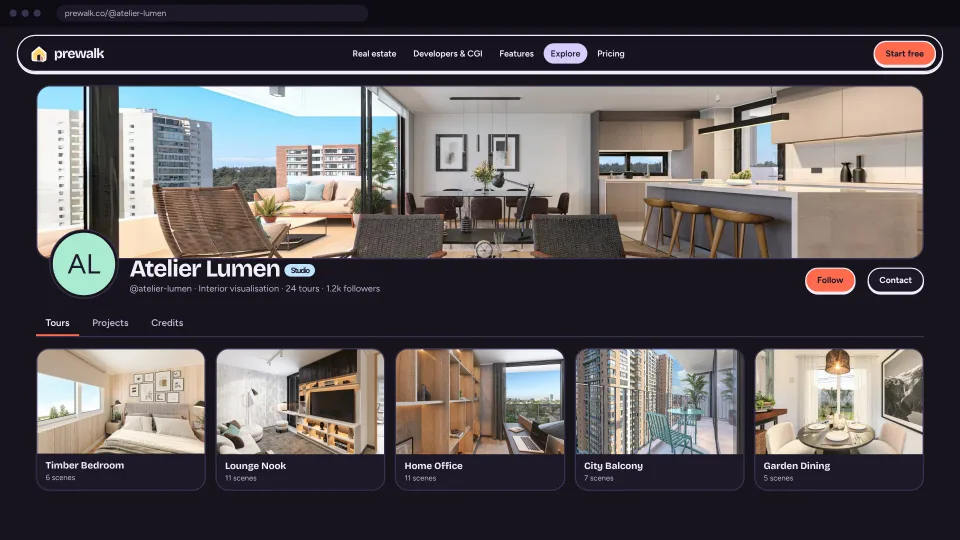
Your portfolio lives at prewalk.co/@username. Share it with a link, or embed it on your own website.
Your profile
Your name, avatar, cover image, a short bio, location, website and social links — with your tour, project, follower and view counts.
Tours, Projects and Credits
Your profile has Tours, Projects and Credits tabs. Pin your best three tours or projects to the top.
You choose what’s public
New tours and projects are link-only by default. Only what you publish appears on your profile; link-only and password-protected content never shows on your profile, in Explore or in search.
Brands and Get in touch
On Office, each brand — up to five — gets its own portfolio, and your team posts on its behalf. On Pro and above, a “Get in touch” button on your profile, projects, embeds and inside the tour player sends messages to your email — and you can add WhatsApp and phone buttons.


Projects
Tours, renders and photos on one page
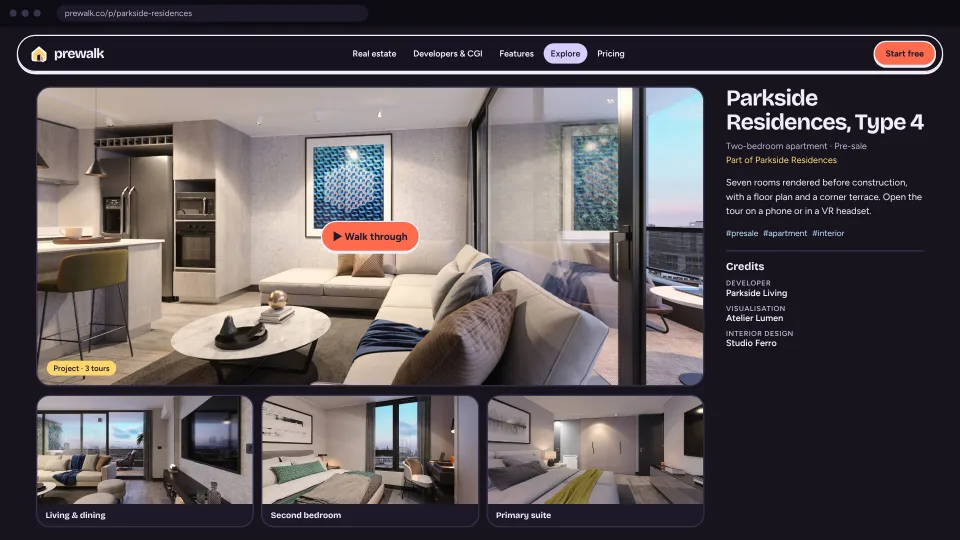
Bring your 360° tours, renders and photos together on one project page at prewalk.co/@username/projects/….
360° tours, images and video
Put 360° tours next to renders, photos, detail images and MP4 videos on one project page.
Floor plans with pins
Add a floor plan and pin the rooms on it. Visitors click a pin to step into that room’s 360° view. Up to 10 floor plans per project, each with its own label like “Ground floor”, and up to 50 room pins on each plan.
Project images
JPG, PNG, TIFF or WebP, at least 1,200 px on the long side, up to 50 MB and 100 MP each; shown at up to 3,840 px.
Share it privately
Share a project with your client through a private link, without making it public.
Credits
Credit the people behind the work
Render studios and designers show the public work they contributed to on their profiles — and agents find them through that work.
Credit by role
Add credits to your projects and tours, naming contributors by role — rendering studio, 3D modeling, interior design, architecture, photography, development, real estate agent and more. On every plan.
Tag a profile or write a name
Tag a Prewalk profile, or simply write a name.
Accepted credits link up
When someone accepts, their name links to their profile and the work appears in their Credits tab.
Always their choice
Decline a credit or remove yourself at any time, and choose who can tag you. Credits on link-only and password-protected content send no notifications and appear on no profile.
Embed & share
On your website, on WhatsApp and on LinkedIn
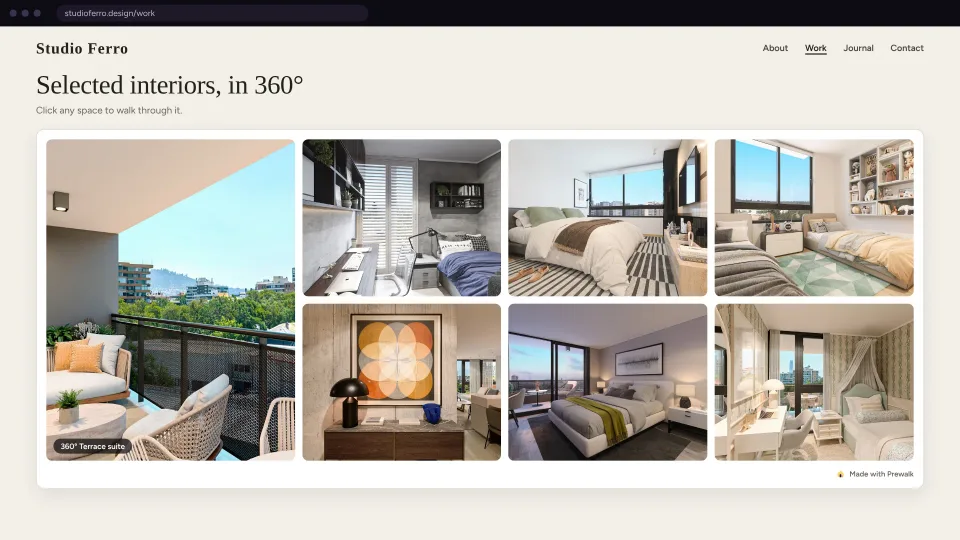
Embed your portfolio, a project or a single tour on your own website. New work you publish appears there automatically. A project embed shows the project’s cover, tours, gallery and floor plans — without the Prewalk menu.
Set it up your way
Grid or carousel, how many items, a category, tag or project filter, a light or dark theme, and the credits line shown or hidden. Copy the code with a live preview.
Full screen, on your site
With the recommended embed code, visitors open tours full screen without leaving your website.
Works where iframes work
The embed works on any website that supports iframes, with a fixed-height option for site builders that don’t allow scripts. Embeds use no cookies or trackers.
Your brand from Pro
On Pro and above, embeds show your logo and color with no Prewalk badge. Free embeds carry the Prewalk badge.
Link previews and QR codes
Profile, project and tour links preview with a cover image and title on WhatsApp and LinkedIn. Download QR codes (PNG or SVG) for business cards, signs and brochures — with your logo in the middle on Pro and above.
Link-only embeds
Link-only tours and projects can be embedded too: show a project on your own website without putting it on your profile or in Explore. Once embedded, anyone who visits that page can see it — you confirm you have the right to publish it when you copy the code.
Explore
A place to be discovered
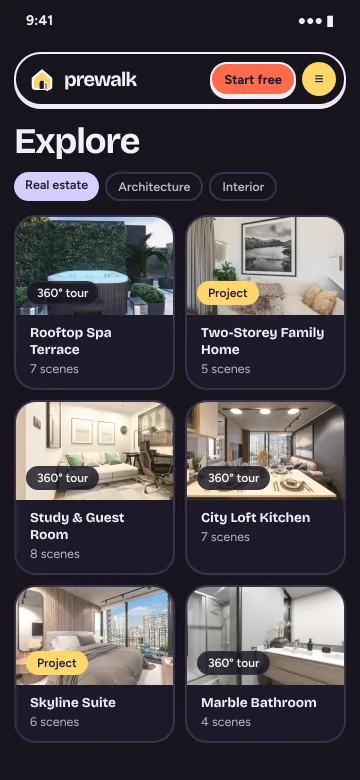
Public tours and projects appear in Explore with their title, category, location and tags; the description shows on the post page. Prefer a portfolio only? Hide your profile from Explore.
Browse without an account
Browse featured, new and by category, and filter by Tours or Projects. Search by name, location and tag. Featured picks are made by the Prewalk team.
Follow, like, save, comment
See new tours and projects from the accounts you follow in one feed. Like, save and comment on tours and projects; owners can turn comments off one by one. On every plan.
Notifications
In-app notifications for new followers, likes and comments, and an optional weekly email digest.
Privacy and control
Location (GPS) and camera details are removed from the images you upload. Every post, project, credit, comment and profile can be reported — from embeds too — and every account can block and mute.

Before anything goes public, you confirm you have the right to publish it — and, for a client’s project, that the client agreed.
Public profiles, tours and projects can be indexed by search engines. Delete your account and your profile, tours, projects, images and comments are deleted.
Open ExploreYour next home, ready to walk through.
Start free, or request a demo — we’ll reply by email to set up a 30-minute live demo.