For developers & CGI artists
 For developers & CGI artists
Walk it before it’s built.
Turn 360° renders up to 16K into a tour buyers and clients can walk — on a sales-office tablet, in VR on a Meta Quest, from a link you share, or embedded on your website with your logo from Pro.
Developers & sales offices
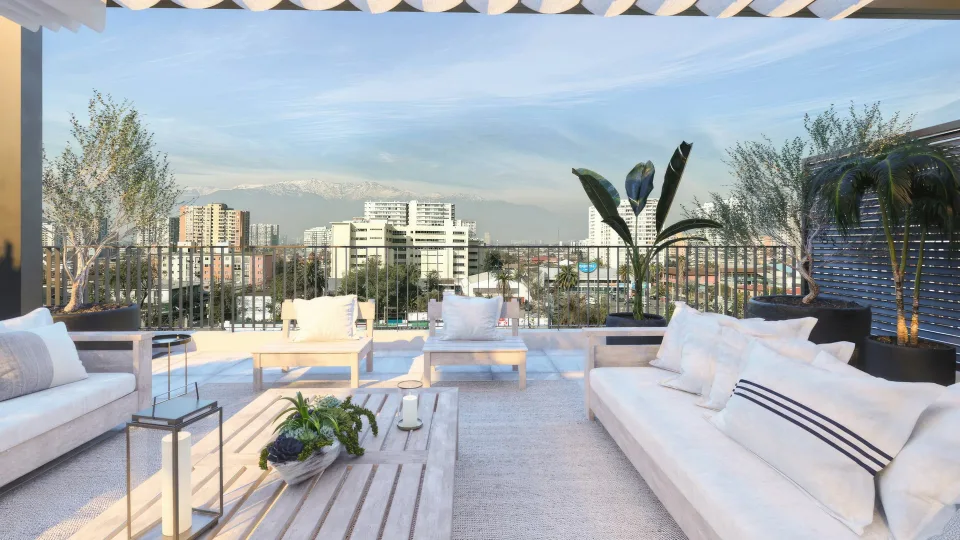
Show buyers the apartment, the common areas and the view before any of it exists. Put the tour on the sales-office tablet, open it in VR on a Meta Quest, and share it with buyers who can’t visit.
- Pre-construction units and model units
- Common areas, amenities and the view
- The same tour on the tablet, in VR and online
CGI artists & architecture firms
Want to present your project better? Send one high-resolution tour instead of a folder of stills, and let clients walk a space that isn’t built yet before they sign off.
- Your logo from Pro, five brands on Office
- Renders up to 16K, sharp on zoom
- Stereo renders in real 3D in VR (Pro and above)


 Open the tour (opens in a new tab)
Workflow
From render to tour
Render spherical
Export each room as a 2:1 equirectangular panorama — or, on Pro and above, 1:1 top-bottom stereo — from any render program that exports equirectangular.
Upload and connect
Upload every render at once, then drag a scene from the scene strip at the bottom onto the 360° view — the transition point lands exactly where you drop it. Set where each room opens.
Deliver one link
Share the link, embed the tour or the whole project on your website, download a QR code for signs and brochures, or open it in VR on a Meta Quest.


Render settings
Settings that work
Stereo renders, in real 3D
Open a tour in the browser on a Meta Quest and, on Pro and above, stereo renders show real depth — the sofa in front of the window, the ceiling above you.
- Camera / projection
- Spherical (equirectangular) 360° — not cube map
- Aspect ratio
- 2:1 for mono (for example 16384 × 8192 at 16K, 8192 × 4096 at 8K)
- Stereo
- Top-bottom (over-under), 1:1, on Pro and above — for example 16384 × 16384; not side-by-side
- Formats
- JPG · PNG · TIFF · WebP — 16K TIFF on Pro and above, including 8-bit 16K stereo TIFF; not EXR/HDR
- Resolution
- Up to 16K on Pro and above (8K on the Free plan); up to 1 GB per file
- Camera height
- Eye level — about 5 ft (150–160 cm) for interiors
Projects & credits
Present the whole project, credit the team
One project page
Bring your 360° tours, renders and photos together on one project page.
Floor plans with pins
Add a floor plan and pin the rooms on it. Visitors click a pin to step into that room’s 360° view. Up to 10 floor plans per project, each with its own label like “Ground floor”, and up to 50 room pins on each plan.
Share it privately
Share a project with your client through a private link, without making it public. New tours and projects are link-only by default, and link-only projects can be embedded on your own website too — once embedded, anyone who visits that page can see it, and you confirm you have the right to publish it when you copy the code. A link-only project has its own random address — it can’t be guessed from your username or the project name, isn’t indexed by search engines and sets no cookies.
Credits
Render studios and designers show the public work they contributed to on their profiles — and agents find them through that work.
Private work stays private
Credits on link-only and password-protected content send no notifications and appear on no profile.
Get in touch
On Pro and above, a “Get in touch” button on your profile, projects, embeds and inside the tour player sends messages to your email — and you can add WhatsApp and phone buttons.


Your brand
From Pro: your logo on tours and embeds
Your logo replaces the Prewalk badge from Pro. Office adds your own domain for tour links and embeds, and up to five brands. Enterprise adds a white-label viewer on multiple domains, an API, priority processing and an SLA.
FAQ
Questions from studios and developers
What resolution should I render at?
Up to 16K on Pro and above (8K on the Free plan). 8K is plenty for most interiors; 16K pays off when buyers will zoom into finishes or a view.
Can I deliver tours under my own brand?
Yes, from Pro: your tours and embeds show your logo instead of the Prewalk badge, and embeds take your accent color — a branded embed. Your profile and project pages stay on prewalk.co. Office adds your own domain for tour links and embeds, and up to five brands. Enterprise adds a white-label viewer: tours and embeds on your own domains, with no Prewalk branding.
Do you support stereo renders?
Yes, on Pro and above — top-bottom (over-under) stereo, up to 16384 × 16384. In VR on a Meta Quest it shows real 3D depth; mono renders appear flat in VR.
Which render programs work?
Any program that exports a spherical, equirectangular panorama. Cube maps, EXR/HDR and side-by-side stereo aren’t supported.
Walk it before it’s built.
Start free, or request a demo — we’ll reply by email to set up a 30-minute live demo.