The 360° camera buying guide for real estate agents (2026)
A 360° camera is the one piece of gear a tour needs. The good news: the market settled years ago, the cameras are small, and the ones agents actually use cost less than a month of portal fees. The confusing part is the spec sheets. This guide tells you which four features matter for listings, which do not, and what to check before you pay.
The four features that matter
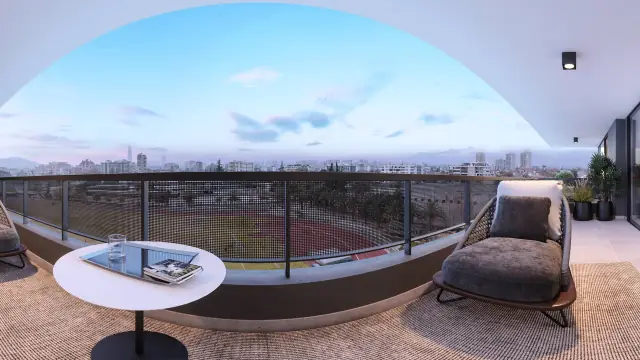
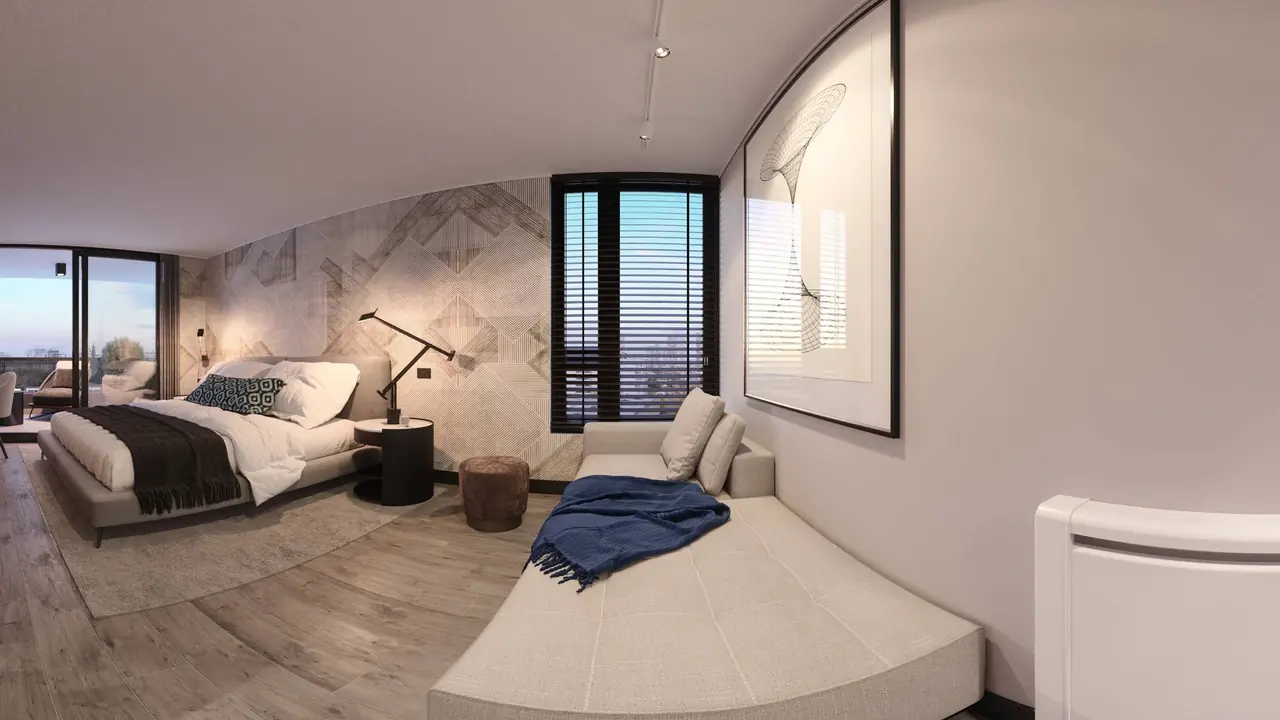
1. A full 2:1 export from the app. This is the only hard requirement. Every tour platform, Prewalk included, takes a 2:1 equirectangular image: a full sphere flattened into a picture twice as wide as it is tall. The camera's phone app must save that file as a JPG. Nearly every current 360° camera does; some action cameras with a 360° mode only export video or a cropped "reframed" clip. Check the app's export options before buying, or ask the seller for a sample file and look at its dimensions.
2. Resolution of the still photo, not the video. Spec sheets lead with video resolution. For tours you want the still-photo number. Anything from 5.7K upwards looks clean on a phone; 8K and above gives buyers room to zoom into a kitchen. Prewalk accepts up to 8K on the Free plan and 16K on paid plans, and most cameras sit comfortably inside that.
3. HDR or exposure bracketing. Homes have windows. Without HDR, either the window is a white block or the room is dark. Cameras that shoot several exposures and merge them give you both the room and the view in one shot. It is the feature that most separates a listing that looks professional from one that looks like a snapshot.
4. One-shot capture with two lenses. Two fisheye lenses, back to back, captured at the same instant. That means no moving objects stitched twice and no seams from a rotating phone. All dedicated 360° cameras work this way; phone apps and DSLR-with-fisheye setups do not.
Features that matter less than you think
- Video quality. You are shooting stills. 8K video is nice for social clips, not for tours.
- Waterproofing and action mounts. Useful for sport, irrelevant for a living room.
- Built-in screens. You will use the phone app as the viewfinder anyway, because you have to leave the room.
- automatic reframing, stabilization, tiny-planet effects. Export features for social video; they do nothing for a 2:1 still.
Three tiers
Prices move and models change every year, so this is by tier rather than by model.
Entry. A compact two-lens camera with a 5.7K or better still, an app with timer and remote shutter, and a basic HDR mode. Examples in this tier have included the smaller Ricoh Theta models and the entry Insta360 X models. Enough for rentals, quick listings and getting started.
Mid. The same shape with larger sensors, 8K-class stills, better HDR and faster transfer to the phone. The Insta360 X range and the GoPro Max have lived here. This is where most agents end up: one camera, every listing, sharp enough to zoom.
Pro. Larger one-inch sensors, RAW capture, the best low-light results and the cleanest stitching. The Ricoh Theta Z1 defined this tier. Worth it if you shoot high-end homes where the finish is the selling point, or if you also deliver stills to clients.
Whatever the tier, budget for a monopod or a light stand with a thin top. A photo tripod with three wide legs appears in the floor of every scene.
What is not enough
- Your phone's Panorama mode. It captures a strip, not a sphere, and no tour platform accepts it.
- A phone with a 360° app. Works in a pinch, with seams and soft detail. Can I make a 360° tour with my phone? explains when it is fine.
- An action camera's 360° video mode without a still export. You would be screenshotting video frames.
- A DSLR with a fisheye lens and stitching software. It produces superb results and takes an hour per home. For a photographer, yes; for an agent, no.
What to check before you pay
- Can the app export a full equirectangular JPG? Look for "360 photo", "equirectangular" or "panorama" in the export menu, not "reframe".
- Is the still-photo resolution 5.7K or better?
- Does it have HDR or bracketing for stills?
- Does the app have a timer or remote shutter, so you can leave the room?
- Does it have a standard tripod thread?
If the answer to all five is yes, it will work with Prewalk. Shoot one room, upload it on the Free plan, and look at it on your phone before you shoot a whole home.
After the camera
The camera is the first step. How to shoot a home with a 360° camera covers height, light and the doorway shot, and Your first tour in 10 minutes takes the files from there to a link you can send.