API reference
The Prewalk API is part of the Enterprise plan. With an API key your own software can create tours, upload scenes, publish, read projects and statistics, and get a signed webhook at every processing stage. This page is the reference; the studio and the public player keep working as before.
Base URL and conventions
- Base URL:
https://prewalk.co. Do not useapp.prewalk.co: it redirects (308) and most HTTP clients drop theAuthorizationheader on a redirect to another host. - Format: JSON in and out (
Content-Type: application/json), except scene uploads, which send the image as the raw request body. - IDs are 12 lower-case letters and digits, for example
teeg8crtm0u0. Dates are ISO 8601 in UTC. - Errors always look the same: an HTTP status and
{"error": {"code": "…", "message": "…"}}; validation errors addfield. The codes are listed at the end of this page. - Rate limit: 600 requests a minute per key. Above it you get
429with aRetry-Afterheader (seconds).
Authentication
Create a key in Settings → API (account owner or admin, Enterprise). A key belongs to the account, can be limited to one brand profile, and has up to three scopes: read, write and stats. The full key is shown once; the list shows only its prefix. Up to 20 keys per account; a revoked key stops at once.
Authorization: Bearer pw_…A key acts for one account. GET /api/me describes what the key can see: the account and its plan limits, the profiles of that account, the profile the key acts as (actor) and the key itself with its scopes. It never returns the key owner’s e-mail or their other accounts.
Endpoints
| Method and path | Scope | What it does |
|---|---|---|
GET /api/me | read | The key’s account, profiles and scopes |
GET /api/tours | read | List the account’s tours (limit ≤ 50, cursor, profileId) |
GET /api/tours/{id} | read | One tour with its scenes, hotspots and settings |
GET /api/tours/{id}/events | read | Processing progress as a server-sent event stream |
POST /api/tours | write | Create a tour ({"title": "…"}) |
PATCH /api/tours/{id} | write | Change title, description, category, location, tags, slug (the readable address), scene order, start scene, scene names |
POST /api/tours/{id}/scenes | write | Upload a 360° image as the raw body |
POST /api/content/{id}/visibility | write | Publish, make link-only, or password-protect a tour or project |
GET /api/projects | read | List the account’s projects (limit, cursor, profileId) |
GET /api/projects/{id} | read | One project with its tours, images, videos and floor plans |
GET /api/stats/{contentId} | stats | Views of a tour or project (range in days) |
GET /api/stats/{contentId}/export.csv | stats | The same as CSV (table = daily, scenes or referrers) |
Every other endpoint answers 403 api_key_forbidden with a key. Account, team, billing, API keys and webhooks are managed in the browser.
Tours
List. GET /api/tours?limit=50 returns {"items": […], "next": "…", "usage": {…}}. Pass next back as cursor for the following page; usage holds the account’s scene count and limits. Each item has id, title, visibility, publishedAt, createdAt, updatedAt, the profile and scene counts.
Read. GET /api/tours/{id} returns the full tour: title, description, category, location, tags, slug, visibility (public, link or password), hasPassword, publishedAt, profile, projectId, startScene, coverScene, revision, scenes in order, hotspots, settings, audio and links (player is the shareable address, post the public page when published).
A scene has id, name, status (queued, processing, ready or error), createdAt, optionally view (the opening direction: yaw, pitch and fov in radians), north (radians; 0 is the centre of the image, increasing to the right), and while it is being processed stage and pct. A ready scene carries meta with its tile levels and the media root.
Create. POST /api/tours with {"title": "Harbor View — Unit 4"} returns the new tour. Without a title it is called “Untitled tour”.
Update. PATCH /api/tours/{id} takes any of these fields and returns the tour:
title,description,category,location,tags(array of strings),slug(the public address, lower-case letters, digits and dashes),commentsEnabled;order: an array of scene ids in the order you want; scenes you leave out keep their place after the ones you listed;startScene: a scene id; it is moved to the front (the first scene is the start scene);coverScene: a scene id ornullfor the start scene;scenes: an object keyed by scene id withname,view({"yaw", "pitch", "fov"}) andnorth(degrees).
Send If-Match: "<revision>" with the revision you last read to refuse a write over someone else’s change: the answer is then 409 revision_conflict with the current tour in error.tour. Without If-Match the last writer wins.
Uploading scenes
POST /api/tours/{id}/scenes with the image file as the raw body. Headers:
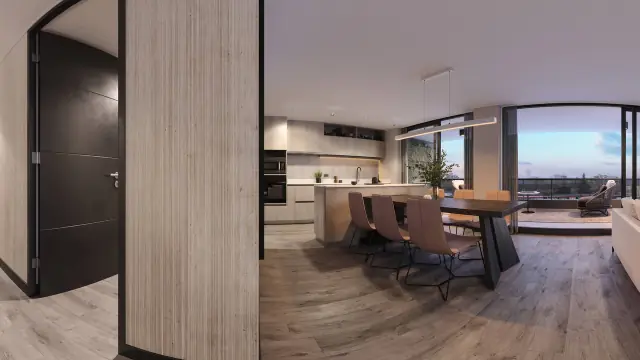
Content-Type:image/jpeg,image/png,image/tifforimage/webp;x-file-name: the file name, URL-encoded (encodeURIComponent); the scene is named after it, so01-living-room.jpgbecomes “01 living room”;x-pw-upload-batchandx-pw-upload-index(optional): when you upload several files of one selection in parallel, give them the same batch id (letters, digits,-and_, up to 32 characters) and their index in the selection; the server then keeps that order no matter which file finishes first. Without them scenes are appended in arrival order.
Accepted images: 2:1 equirectangular panoramas up to the plan’s width (8K on Free, 16K on Pro and above), or 1:1 top-bottom stereo panoramas on Pro and above (left eye on top), up to 1 GiB. The answer is the scene (status: "queued"). Processing runs in stages: the scene becomes visible first (preview tiles), then the full-resolution tiles arrive (“sharpening”) and the VR textures on Pro and above; the two run side by side and either may finish first. The scene’s meta.pending, the event stream and the webhooks tell you which stages are still running.
Errors: 400 unsupported_format (not a JPG, PNG, TIFF or WebP), 400 unsupported_ratio (not 2:1, or 1:1 top-bottom), 400 unreadable_image (a damaged file), 402 plan_required (16K or stereo on a plan without it), 402 quota_exceeded (the account’s scene limit), 413 file_too_large.
Processing progress
GET /api/tours/{id}/events is a server-sent event stream (text/event-stream). Events: hello on connect, queue (the queue position of waiting scenes and a summary of the tour, every few seconds while something runs), scene (status, stage, pct, or error) and tour (the tour changed; read it again). For server-to-server integration prefer the webhooks below.
Publishing and visibility
POST /api/content/{id}/visibility works for tours and projects and returns the content:
{"visibility": "link"}— reachable by its address only (the default of every new tour);{"visibility": "public", "rightsAccepted": true}— on the profile, in Explore and indexable; acategoryis required (set it withPATCHfirst) and you confirm that you have the right to publish the images. For a project add"tourIds": [...]to publish tours together with it;{"visibility": "password", "password": "…"}— Pro and above; leavepasswordout to keep the current one.
A tour inside a password-protected project cannot go public or get its own password (409 in_password_project); the project’s password is the gate.
Projects
Projects are read-only through the API today. GET /api/projects lists them with id, title, slug, visibility, category, coverUrl, tourCount, imageCount, videoCount and dates; GET /api/projects/{id} adds description, location, tags, urls (public and the private link), the tours with their scenes, and the gallery images, videos and floorplans with pins. Create projects and add media in the studio.
Statistics
GET /api/stats/{contentId}?range=30 returns views for a tour or project. What you get depends on the plan: the all-time total on Free; a zero-filled daily series (from, to, up to 90 days) on Pro; up to 365 days plus sources (page, embed, direct), devices (phone, desktop, VR headset), scenes and the embedding referrers on Office and Enterprise. …/export.csv?range=30&table=daily gives the daily table, table=scenes the views per scene and table=referrers the embedding sites. Views are counted per visitor address and content, once every 30 minutes; nothing personal is stored.
Webhooks
Add up to five webhooks in Settings → API. We send a signed POST with a JSON body:
{"eventId": "evt_…", "eventType": "scene.ready", "occurredAt": "2026-10-22T09:12:03.000Z",
"data": {"tourId": "…", "sceneId": "…", "status": "ready", "pending": ["refine", "vr"]}}| Event | When | Data |
|---|---|---|
scene.ready | The scene is visible (preview tiles) | pending: stages still running — refine (full-resolution tiles) and vr (headset textures); [] when the preview is final |
scene.sharpened | The full-resolution tiles are in place | stage: "refine", ok (false when the stage was dropped and the scene stays at preview quality), pending |
scene.vr_ready | The VR textures are in place | stage: "vr", ok, pending |
scene.failed | Processing failed for good | error with the reason |
ping | The “Send test” button | empty |
Headers: Prewalk-Signature: ts=<unix seconds>;h1=<hex> where h1 is HMAC-SHA256 of ts + ":" + body with your webhook secret (computed over the exact bytes you received), plus Prewalk-Event-Id and Prewalk-Event-Type. While a secret rotation is in progress the header carries two h1 values (ts=…;h1=<new>;h1=<old>) until the previous secret expires: accept the delivery when any of them verifies. Verify the signature, reject a timestamp older than a few minutes, and deduplicate by eventId: a delivery is retried until your endpoint answers 2xx (ten attempts, 30 s then doubling, about four hours in all) and the retried body is byte-identical. After 20 failed deliveries in a row the webhook is turned off and the account owner gets an e-mail. Endpoints must be https on a public address; redirects are not followed. The secret can be rotated; the previous one stays valid for 24 hours.
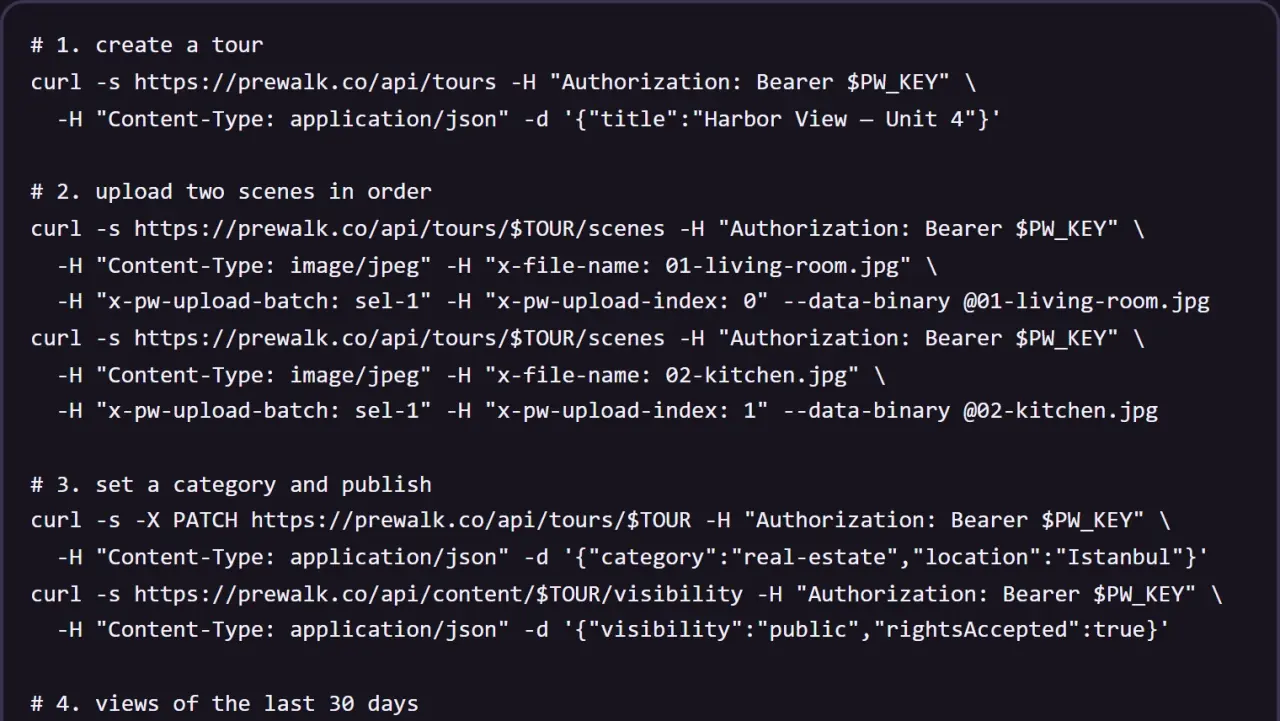
A walk through
# 1. create a tour
curl -s https://prewalk.co/api/tours -H "Authorization: Bearer $PW_KEY" \
  -H "Content-Type: application/json" -d '{"title":"Harbor View — Unit 4"}'

# 2. upload two scenes in order
curl -s https://prewalk.co/api/tours/$TOUR/scenes -H "Authorization: Bearer $PW_KEY" \
  -H "Content-Type: image/jpeg" -H "x-file-name: 01-living-room.jpg" \
  -H "x-pw-upload-batch: sel-1" -H "x-pw-upload-index: 0" --data-binary @01-living-room.jpg
curl -s https://prewalk.co/api/tours/$TOUR/scenes -H "Authorization: Bearer $PW_KEY" \
  -H "Content-Type: image/jpeg" -H "x-file-name: 02-kitchen.jpg" \
  -H "x-pw-upload-batch: sel-1" -H "x-pw-upload-index: 1" --data-binary @02-kitchen.jpg

# 3. set a category and publish
curl -s -X PATCH https://prewalk.co/api/tours/$TOUR -H "Authorization: Bearer $PW_KEY" \
  -H "Content-Type: application/json" -d '{"category":"real-estate","location":"Istanbul"}'
curl -s https://prewalk.co/api/content/$TOUR/visibility -H "Authorization: Bearer $PW_KEY" \
  -H "Content-Type: application/json" -d '{"visibility":"public","rightsAccepted":true}'

# 4. views of the last 30 days
curl -s "https://prewalk.co/api/stats/$TOUR?range=30" -H "Authorization: Bearer $PW_KEY"
Embedding
Embedding needs no key: every tour has https://prewalk.co/embed/{id}, and embed.js sizes the frame and opens it full screen on your page. Which websites may show your embeds is set under Settings → Branding. The embedding guide has the details.
Error codes
| Status | Code | Meaning |
|---|---|---|
| 400 | invalid_request | A field is missing or invalid; field names it |
| 400 | unsupported_format, unsupported_ratio, unreadable_image, rights_required, category_required, project_needs_content | Upload or publish preconditions (a project needs a public tour, an image or a video) |
| 401 | unauthorized, invalid_api_key | No key at all, or a malformed or revoked key |
| 402 | plan_required, quota_exceeded | The plan lacks the feature, or a limit is reached (feature or limit says which) |
| 403 | api_key_forbidden, api_scope_missing | The endpoint is not open to keys, or the key lacks the scope |
| 404 | not_found | Not yours, deleted, or no such id |
| 409 | revision_conflict, slug_taken, in_password_project | Concurrent edit (the current tour is included), address in use, project password rule |
| 413 | file_too_large | Above the size limit |
| 429 | rate_limited | Too many requests; wait Retry-After seconds |
| 503 | maintenance | Prewalk is updating; retry after a minute |
Changes
- 10 Nov 2026: a project can be published or password-protected with only images or videos. A project with nothing to show answers
400 project_needs_content, for public and for password alike; it replacesproject_needs_public_tourandproject_needs_tour, which are no longer sent.GET /api/projectsaddsvideoCount. - 22 Oct 2026:
scene.readycarriespending; new eventsscene.sharpenedandscene.vr_ready; upload order headersx-pw-upload-batchandx-pw-upload-index;GET /api/mewith a key describes the key’s account only.
Questions or a missing endpoint? Write to hello@prewalk.co.